A simple app for markdown, csv and text
A native Mac app: CSV as a real table, Markdown you edit the way it reads, text files of any size — opened in a blink and saved without touching a byte you didn’t change.
For Mac · macOS 14 or later · no account, no cloud
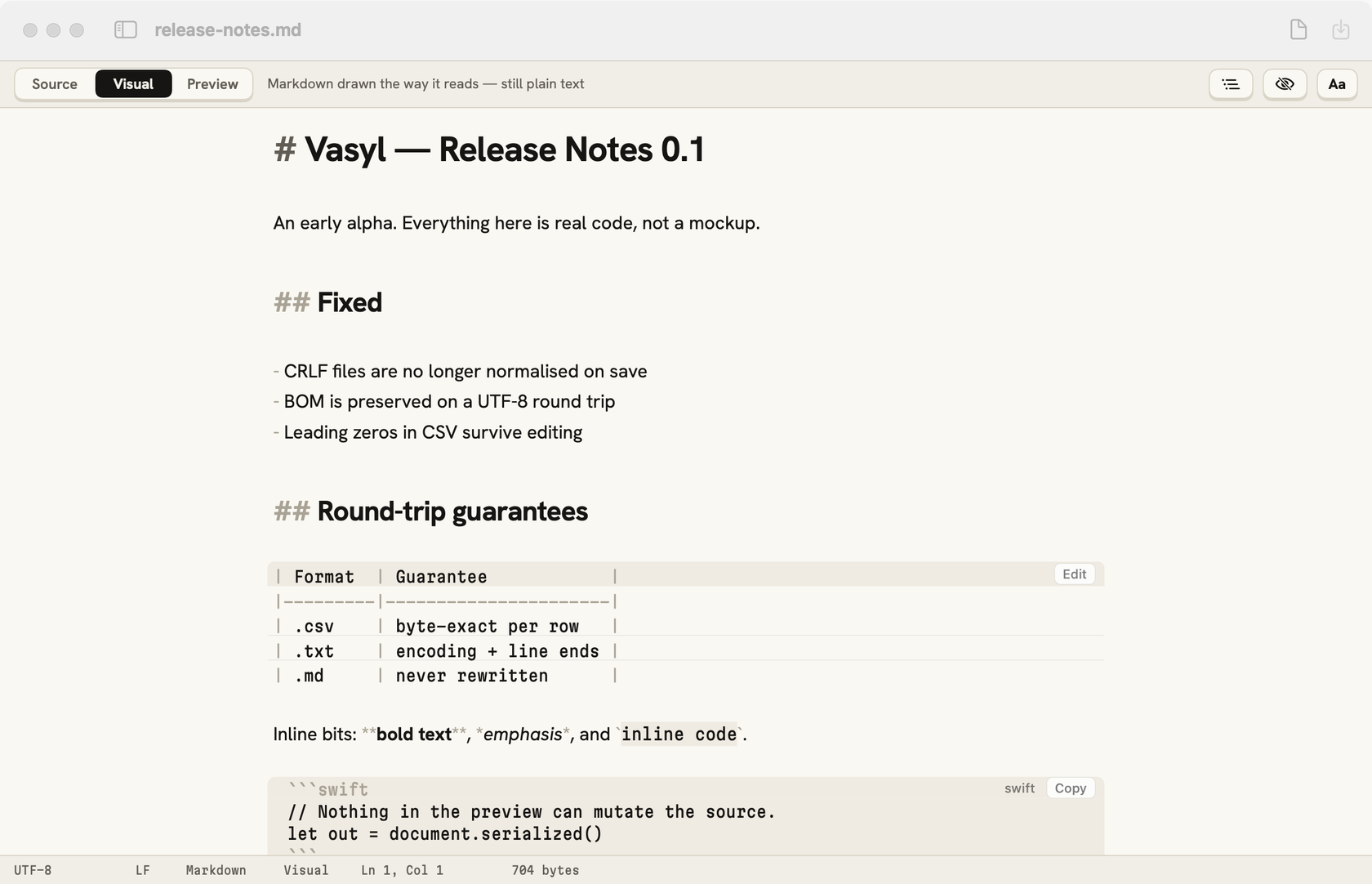
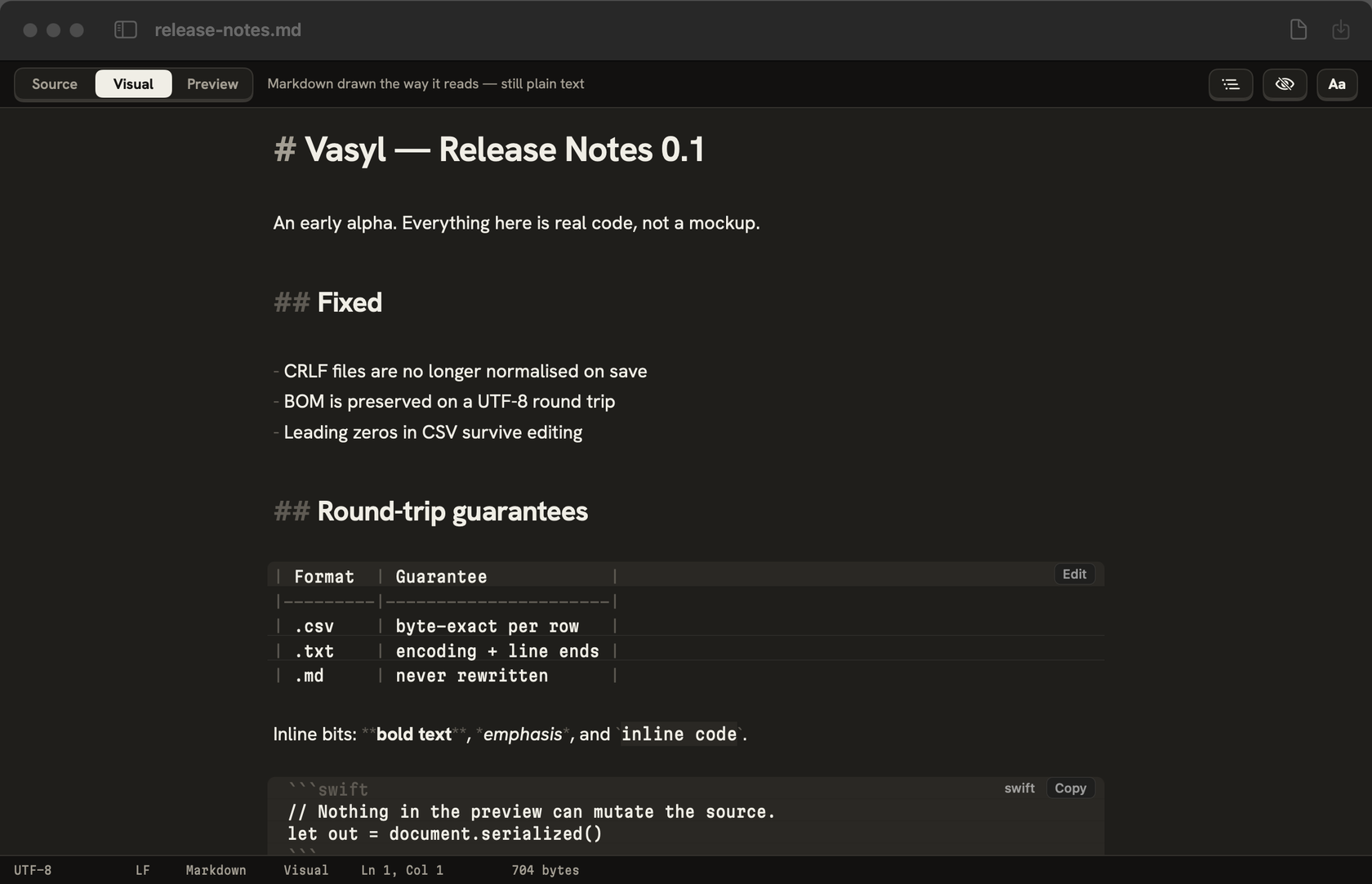
The files are simple. The apps for them aren’t.
Double-click a .md, .csv or .txt file and you get one of two things.
- 01
A big IDE
A whole development environment — workspaces, extensions, seconds to start — to change one line of a README.
- 02
A web editor in a window
Browser-based editors with glitches: lag on a big file, a cursor that jumps, a table that won’t line up.
- 03
And both rewrite your file
Line endings, quotes, a leading zero, the spacing of a table — changed on save, though you never touched them.
The simple app everyone is missing.
Native
A real Mac app — no web view, no browser engine.
Its own controls
A Markdown editor and a table grid built for exactly these files.
Fast
Small notes and 50 MB logs open just as quickly.
Untouched
Saving writes what you typed — every other byte stays.
CSV as a table — not a wall of commas.
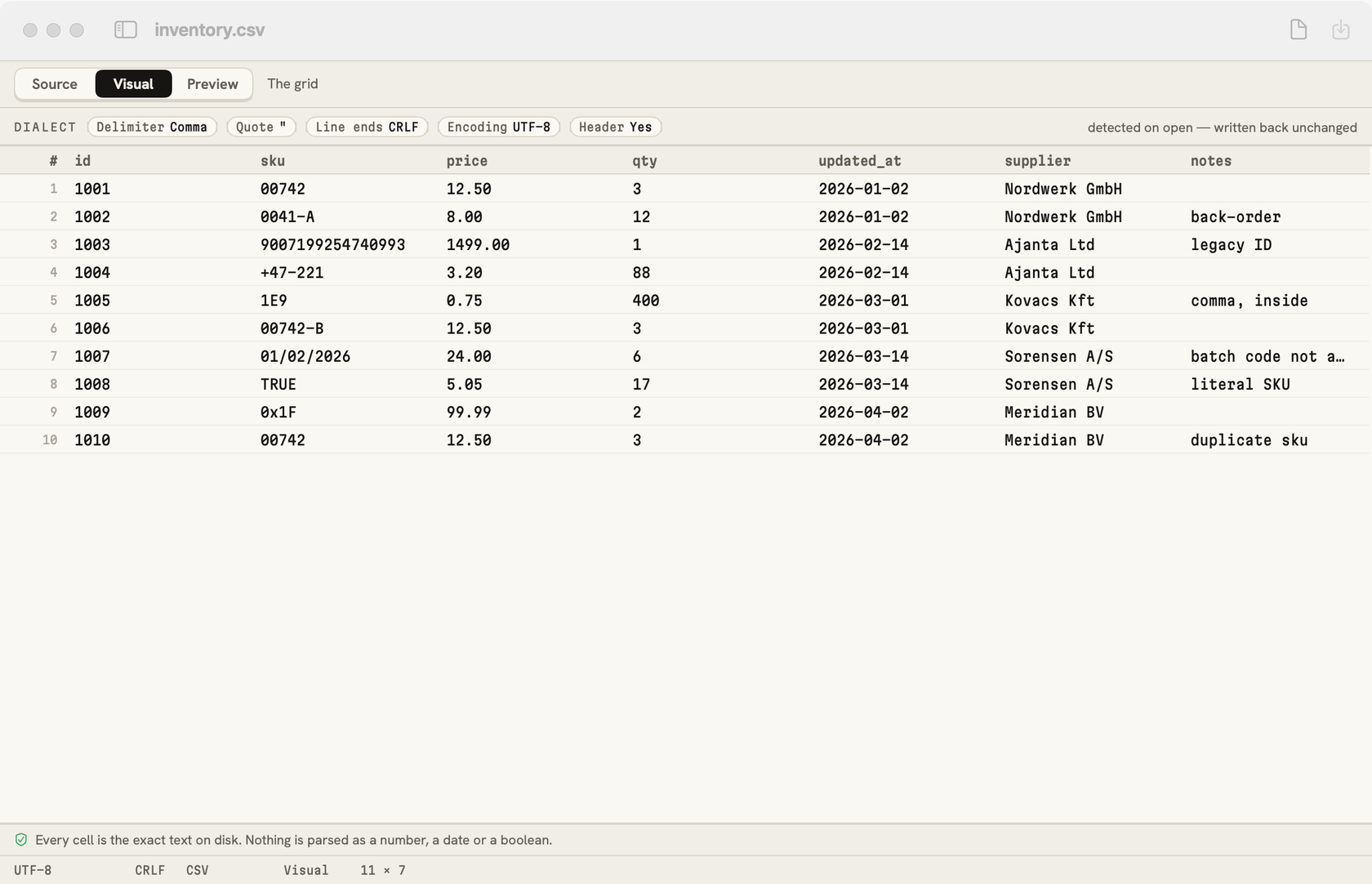
Open a CSV and it’s a grid. Click a cell, type, move on. Vasyl reads the file’s own dialect and writes it back the same way.
- Delimiter, quotes, encoding and line endings — detected and kept
- Cells are text: 00742 stays 00742, long numbers keep every digit
- Only the rows you change are rewritten
- A 20 MB file opens in under a second
Markdown, edited the way it reads — with or without the symbols.
Hide the symbols for a completely WYSIWYG page, or keep them faintly in view while you write. One key switches: ⇧⌘H. Either way the file stays plain Markdown.
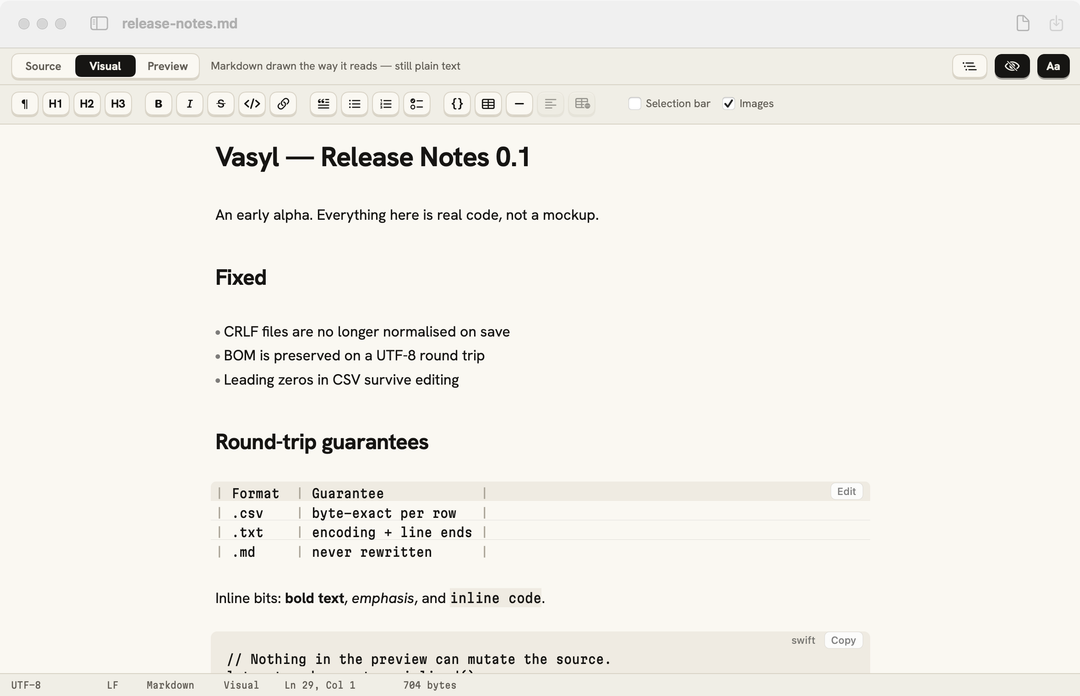
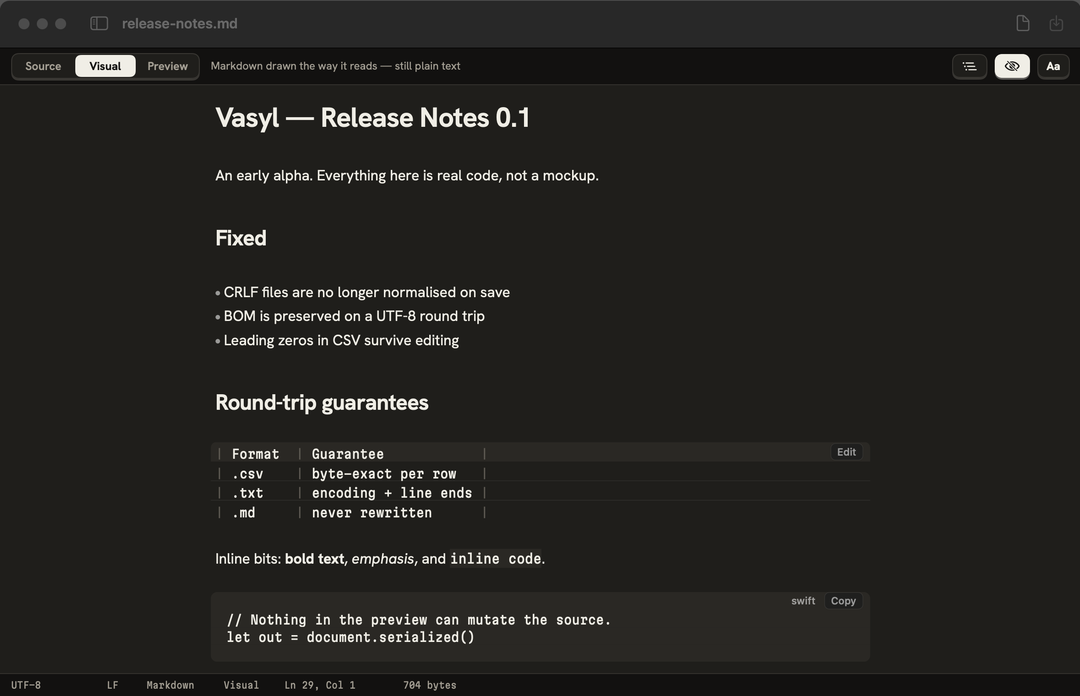
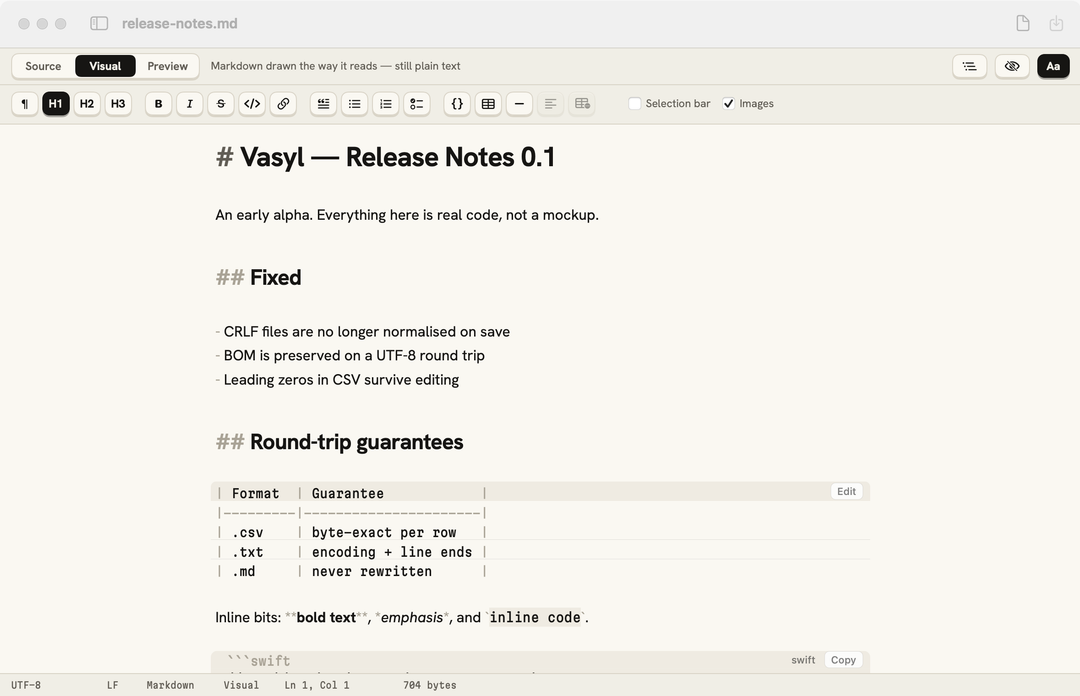
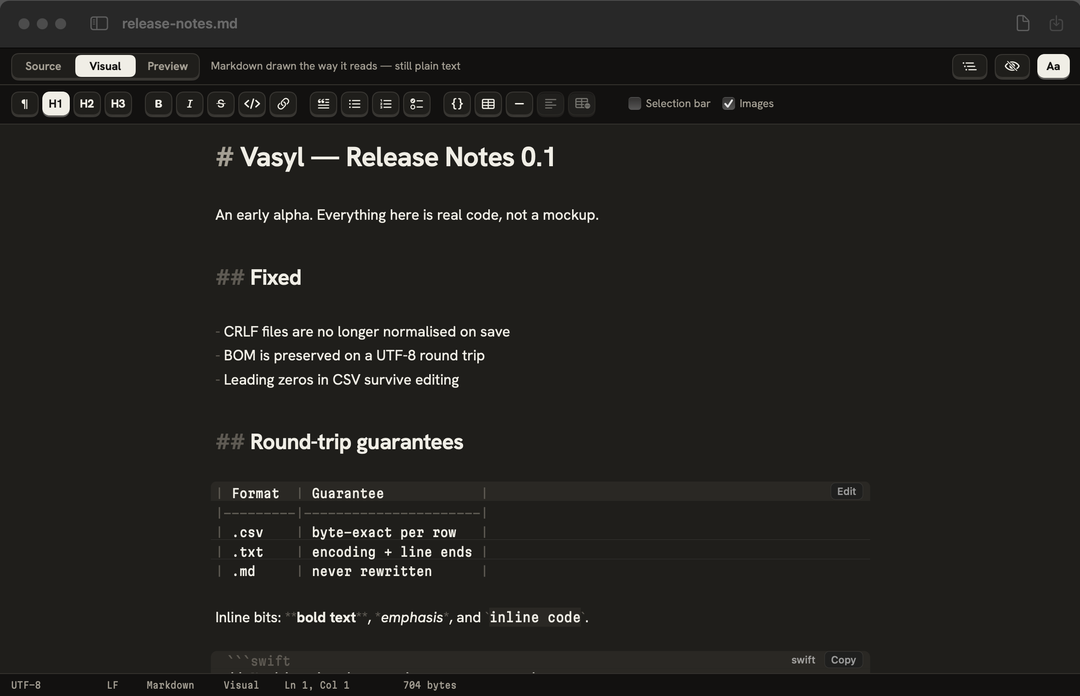
- Tables in a gridAdd rows, sort, paste from a spreadsheet; only changed cells are rewritten.
- Paste from the webGoogle Docs and web pages arrive as Markdown, in your file’s style.
- Tasks, code, linksBoxes you can tick, code with Copy, ⌘-click to follow a link.
Opens before you’ve let go of the click.
A note, a 1 MB manual or a 50 MB log — same quick start. Open a folder once and click through its files in the sidebar; each one is ready instantly.
- 0.12 sto open a 50 MB text file
- 0.05 sfor a small note — click to text on screen
- 14 mskey to screen, typing in a 1 MB Markdown file
- 33 MBof memory, waiting for a file
Measured on an Apple M4 Pro with macOS 26.
Not a web page in a window.
Vasyl is a native Mac app with its own Markdown control, written from scratch for this one job. No browser engine, no plug-ins — which is why it starts fast, stays small and never surprises your file.
- The whole app5 MB
- Markdown controlour own, native
- Web views to edit textnone
- Account or cloudnone
Never changes a byte you didn’t type.
Vasyl writes back exactly what it read, plus what you typed. Checked on every build: open, edit, save, compare the bytes on disk.

Get notified
Vasyl is coming soon to the Mac App Store and as a direct download. Leave your email to hear the day it’s out.